
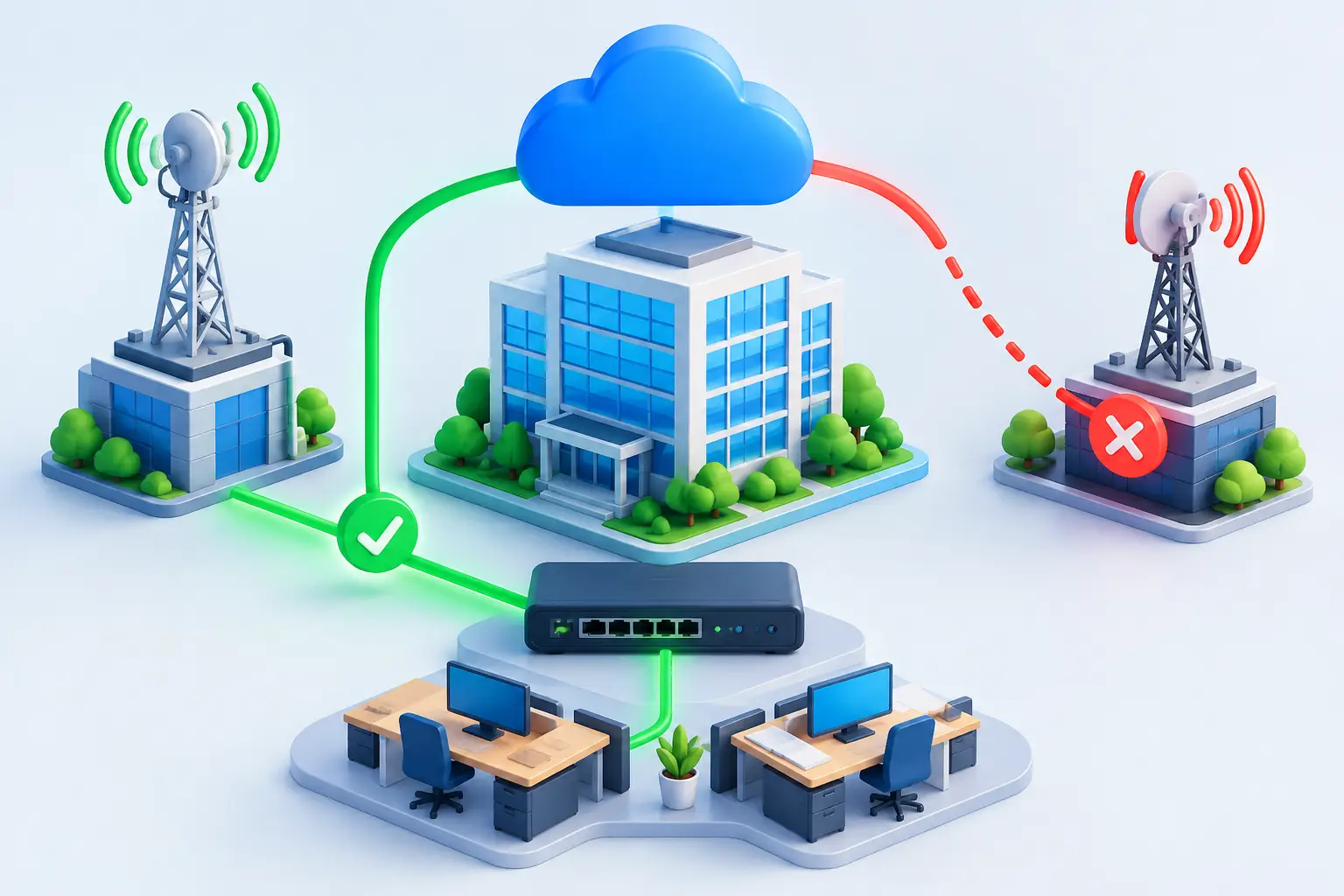
A dropped connection can stop far more than web browsing. EFTPOS terminals may fail, cloud phone calls can cut out, staff lose access to customer systems, and a site can be left unable to trade. The right business internet failover options give your team another path online when the primary connection has a fault, planned outage or local disruption.
For Australian businesses, the best approach depends on how costly downtime is, where your sites are located, what applications you rely on, and whether your backup service uses genuinely separate infrastructure. A café with one EFTPOS terminal has different needs from a multi-site business running cloud PBX, Microsoft 365, CCTV and hosted applications.
What internet failover actually does
Failover is the automatic or manual switch from your usual internet service to a secondary connection when the main service is unavailable or performing poorly. A suitable router or firewall monitors the primary link and directs traffic through the backup connection once it detects a problem.
The goal is not always to make an outage invisible. A mobile backup service may have lower speeds, higher latency or data limits than a fixed fibre link. Instead, failover keeps priority services available so your team can continue processing payments, taking calls, accessing cloud files and communicating with customers while the main connection is restored.
A good configuration also switches back carefully. If a primary service is unstable, immediately moving traffic back and forth can interrupt calls and sessions. This is often called flapping. Your network equipment should be set with sensible health checks and a delay before returning to the primary link.
Business internet failover options to consider
4G or 5G mobile backup
A 4G or 5G service is often the most practical failover option for a small office, retail site or remote branch. It can be delivered through a business-grade router with a SIM card, or through a dedicated mobile modem connected to your firewall.
Its biggest advantage is infrastructure diversity. If your primary NBN or fixed connection is affected by a damaged cable, exchange issue or local fixed-network fault, the mobile network may still be operating. Deployment can also be fast, which makes mobile useful for temporary sites, relocations and businesses waiting for a permanent service installation.
There are trade-offs. Mobile coverage varies by address, building materials and local network congestion. Speeds can change during busy periods, and large cloud backups or software updates can consume data quickly. Before relying on mobile failover, test signal strength inside the premises and set traffic rules so essential applications take priority.
A second fixed internet connection
A second fixed service can provide more predictable capacity than mobile backup. Depending on availability, this may combine NBN with OptiComm, fixed wireless, satellite, private fibre or a separate enterprise ethernet service.
This option suits businesses that need a higher-performing backup path for larger teams, customer-facing systems or bandwidth-heavy workloads. A second fixed connection can also support active-active arrangements, where both links carry traffic during normal operation rather than leaving one idle.
However, two services are not automatically independent. If both connections enter the building through the same conduit, terminate in the same communications room or rely on the same upstream network, a single incident may affect both. Ask how each service is delivered and whether physical path diversity is available, particularly for high-value sites.
Fixed wireless backup
Fixed wireless can be a strong alternative where mobile reception is limited or a site needs a more dedicated wireless connection. It is particularly relevant for regional locations, industrial sites and businesses where fibre installation is costly or slow.
Performance depends on line of sight, local coverage, antenna placement and the provider’s network design. It needs an on-site assessment rather than assumptions based on a coverage map. When correctly designed, fixed wireless can provide an independent path that avoids the same last-mile fault as the primary fixed service.
Satellite backup for remote operations
Satellite is a practical continuity option for locations beyond reliable fixed and mobile coverage. Farms, mining support sites, construction compounds and remote accommodation can use satellite as either their main service or a backup path for critical communications.
Latency and weather considerations still need to be understood, especially for real-time applications. It may not be the first choice for a metro office with multiple terrestrial options, but it can be the difference between being disconnected and staying operational in regional Australia.
SD-WAN with multiple links
SD-WAN is not an internet connection on its own. It is a network approach that manages multiple connections intelligently, applying policies to route traffic based on performance, application type and business priority.
For example, an SD-WAN setup can keep voice traffic on the lowest-latency link, send general web traffic over a secondary service and automatically move cloud application traffic when packet loss rises. It is especially useful for organisations with several sites, cloud-based systems and a need for consistent visibility across the network.
SD-WAN involves more planning than a basic backup router. It needs clear policies, compatible equipment and ongoing management. For growing businesses, though, it can turn a collection of internet services into a more controlled and resilient network.
Choose the level of protection your business needs
Start with the real cost of an outage. Consider lost sales, idle staff, missed phone calls, delayed dispatches, customer impact and the time required to recover once connectivity returns. Then identify which services must remain available and which can wait.
A small retailer may only need EFTPOS, cloud phone calls and email to keep working. A professional services firm may need secure access to cloud applications and video meetings. A warehouse may prioritise scanners, dispatch platforms and security systems. Defining these essentials prevents a backup connection from being overwhelmed by non-critical traffic.
It also helps to set a recovery objective. Do you need traffic to switch within seconds, or is a short manual changeover acceptable? Automatic failover is generally the better choice for sites that cannot afford to wait for someone to attend the router, but it requires correctly configured equipment and regular testing.
Design for more than one kind of outage
Internet resilience is not just about buying a second service. The equipment that manages your connections needs power, and the building needs to remain accessible and safe. A router, firewall, network switch and mobile modem can all be taken offline by a local power outage.
A small uninterruptible power supply can keep essential networking equipment running long enough to ride through brief power interruptions. For longer outages, businesses with critical operations may need generator support and a documented process for conserving backup bandwidth.
Cybersecurity matters as well. A backup link should remain protected by the same firewall policies, secure remote access controls and monitoring as the primary connection. An emergency connection is not a reason to bypass security practices.
Test failover before you need it
A failover plan that has never been tested is only an assumption. Schedule a controlled test at a suitable time by disconnecting the primary service or placing it into maintenance mode. Check whether the backup link activates, whether staff can use priority applications, and whether cloud phone services behave as expected.
Record how long the changeover takes and identify any services that need special configuration. Some systems rely on a fixed public IP address, whitelisted addresses or VPN tunnels, which may need a more advanced setup to work properly across both links. Test return-to-service behaviour too, not just the initial switch.
Review the setup after office changes, new software rollouts or growth in staff numbers. The backup connection that supported five people may not support a team of 30 using cloud applications all day.
The most effective failover design is the one matched to your operations, not the one with the longest feature list. Whether that means mobile backup for a single site or managed SD-WAN across a national footprint, InfiNET Broadband can help build a practical path to continuity so your business has options when its primary connection does not.