
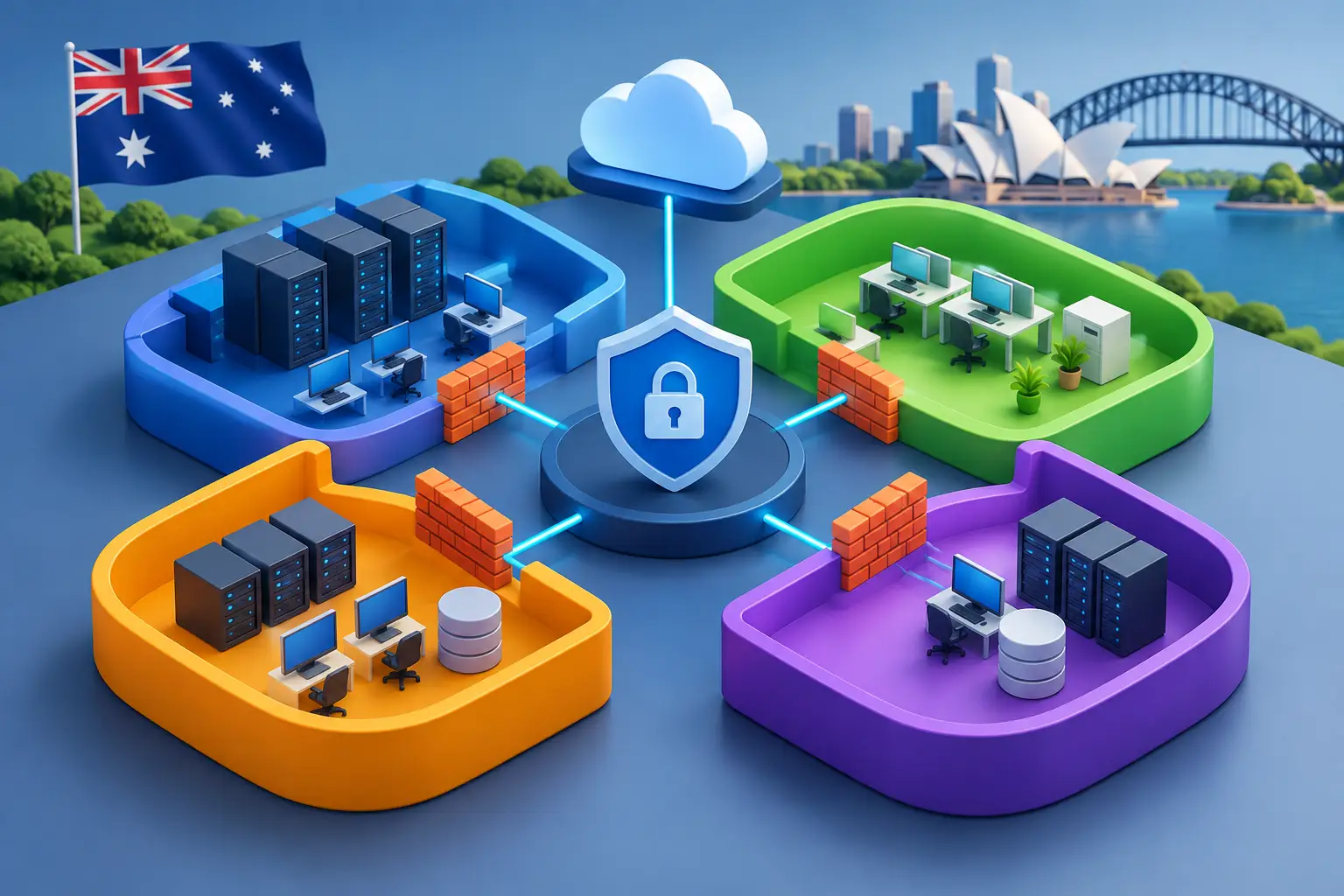
A compromised staff laptop should not be able to reach finance systems, production equipment, building controls and customer data simply because it is connected to the corporate network. That is the practical problem this enterprise network segmentation guide is designed to solve. Segmentation limits how far an incident can spread, while giving essential systems the access they need to support day-to-day operations.
For Australian organisations with cloud applications, multiple sites, remote teams and a mix of managed and legacy technology, network segmentation is no longer just a security project. It is a business continuity decision. Done well, it reduces exposure without making the network difficult for staff or IT teams to use.
What enterprise network segmentation actually means
Enterprise network segmentation divides a larger network into smaller, controlled zones. Each zone has its own security rules that define which users, devices and applications can communicate with it.
A simple example is separating guest Wi-Fi from business systems. Guests can access the internet, but cannot see internal file shares, printers or staff devices. At enterprise scale, the same principle applies to more sensitive areas: finance platforms, operational technology, voice services, cloud workloads, backup infrastructure and management interfaces.
The objective is not to block everything. It is to allow the right traffic, between the right systems, for a clear business reason. If ransomware reaches one part of the network, segmentation helps prevent it from moving laterally into the systems that keep the organisation operating.
Why flat networks create unnecessary risk
A flat network is one where most connected devices can communicate with most other devices. It can be quick to deploy, particularly in a small office, but it becomes harder to manage as new users, applications, sites and devices are added.
A typical organisation may have employee laptops, mobile devices, IP phones, security cameras, EFTPOS terminals, printers, servers, cloud gateways and contractor equipment on the same underlying network. Not every device receives the same level of patching or security monitoring. One poorly secured device can become an entry point to a much wider environment.
The risk is not limited to cybercrime. A misconfigured device, broadcast traffic issue or failed application can affect services outside its intended area. Separating traffic also makes troubleshooting more precise. IT teams can identify where a problem starts instead of investigating every device across the network.
Start with systems and data, not VLAN numbers
The most effective segmentation projects begin with a clear view of what the business needs to protect. Starting with technical labels such as VLAN 10 or subnet 192.168.10.0/24 can lead to a network design that is tidy on paper but disconnected from operational priorities.
First, identify critical systems and the data they process. This could include payroll, customer records, cloud identity services, point-of-sale platforms, manufacturing equipment, internal applications, backup repositories and network management tools. Then map who needs access, from where, and through which applications or ports.
This process often reveals access that is broader than expected. A workstation may have direct access to a server when it only needs a web application. A third-party supplier may have a remote connection that is permanently available, even though it is only needed during maintenance windows. These are useful opportunities to reduce exposure without disrupting work.
Group assets by trust and purpose
A practical design commonly separates assets into zones such as user devices, servers, voice, guest access, operational technology, management systems and internet-facing services. The exact number of zones depends on the organisation. A regional business with one site may need a straightforward structure, while a national organisation with branches, warehouses and cloud workloads will need more detailed controls.
Do not segment only by department. Finance and HR may require stronger protection, but application dependencies matter more than organisational charts. A payroll system, for example, may need secure access to identity, file storage, reporting and backup services. Those approved paths need to be understood before restrictions are introduced.
Build rules around required traffic
Once zones are defined, create rules based on required communications rather than broad assumptions. The default position should be to deny unnecessary movement between zones, then allow specific traffic that supports a documented service.
For example, staff devices may need secure access to a cloud application and a print server. They do not need unrestricted access to server management interfaces. A voice network may need to reach the phone platform and approved quality-of-service services, but not employee file shares. Guest users should reach the internet without accessing internal resources.
Firewalls, access control lists, software-defined networking and identity-based policies can all support this approach. The technology matters, but policy design matters more. An expensive firewall cannot compensate for rules that permit any-to-any traffic because the environment was never properly mapped.
Protect high-value management access
Administrative tools deserve particular attention. Network switches, firewalls, hypervisors, backup consoles and cloud management portals can provide broad control over the environment. Place these services in a dedicated management zone and restrict access to approved administrators using strong authentication.
Management access should not share the same pathway as everyday staff browsing or guest traffic. Logging and alerting are also valuable here, as unexpected attempts to reach management systems can indicate a compromised account or device.
Extend segmentation across sites and cloud services
Many Australian organisations now operate across offices, home workers, cloud platforms and regional locations. Segmentation needs to follow the user and application, not stop at the main office firewall.
SD-WAN can help apply consistent policies across multiple locations while prioritising critical traffic such as voice, video, cloud applications and business systems. Private fibre, enterprise ethernet and reliable fixed wireless connections can provide the underlying connectivity, but each site still needs clear boundaries between its local devices and wider corporate services.
Cloud environments require the same discipline. Separate production workloads from development and testing systems. Restrict administrative access, and avoid exposing management services directly to the public internet where possible. Cloud security groups, virtual firewalls and identity controls should reflect the same access principles used on-premises.
Remote access is another common weak point. Staff and contractors should receive access only to the applications or systems they need, rather than a broad pathway into the entire network. Multi-factor authentication, device posture checks and time-limited supplier access can make this far safer.
Test before enforcing every restriction
Segmentation can cause outages if policies are applied too quickly. Legacy applications may rely on undocumented connections, and operational systems can be especially sensitive to disruption. For that reason, visibility should come before enforcement.
Monitor traffic between proposed zones to understand normal activity. Run new rules in an alerting or observation mode where possible, then test them with representative users and business teams. Schedule changes carefully and maintain a rollback plan for critical services.
This is where a staged approach pays off. Start with clear, low-risk wins such as isolating guest Wi-Fi, separating backup systems, protecting management interfaces and restricting internet-facing services. Then move to more complex application and operational technology environments once dependencies are documented.
Keep segmentation current as the business changes
Network segmentation is not a one-off configuration exercise. New cloud services, acquisitions, office moves, hardware replacements and staff changes can all create new access paths. Rules that made sense two years ago may now be unnecessary or risky.
Review policies regularly, especially after major technology changes or security incidents. Remove unused rules, verify that critical systems remain isolated, and make sure documentation reflects the live environment. Clear ownership is essential: security teams may define the control objectives, while IT operations, application owners and service providers need to maintain them.
For businesses without a large internal network team, managed firewall and networking support can provide the monitoring, change control and local expertise needed to keep policies working as intended. InfiNET Broadband can support the connectivity and enterprise network foundations that help organisations apply these controls across sites.
The best segmentation strategy is one your organisation can operate confidently. Begin with the systems that matter most, allow only what the business genuinely needs, and improve the design as your network evolves. That creates a safer environment without sacrificing the reliable service your staff and customers depend on.